
Plan and manage
Manage all posts: statuses, edits, retries and the safety check
See every post from every campaign and channel in one list, filter by status, edit, publish, retry failed posts and pause during sensitive events.
In short
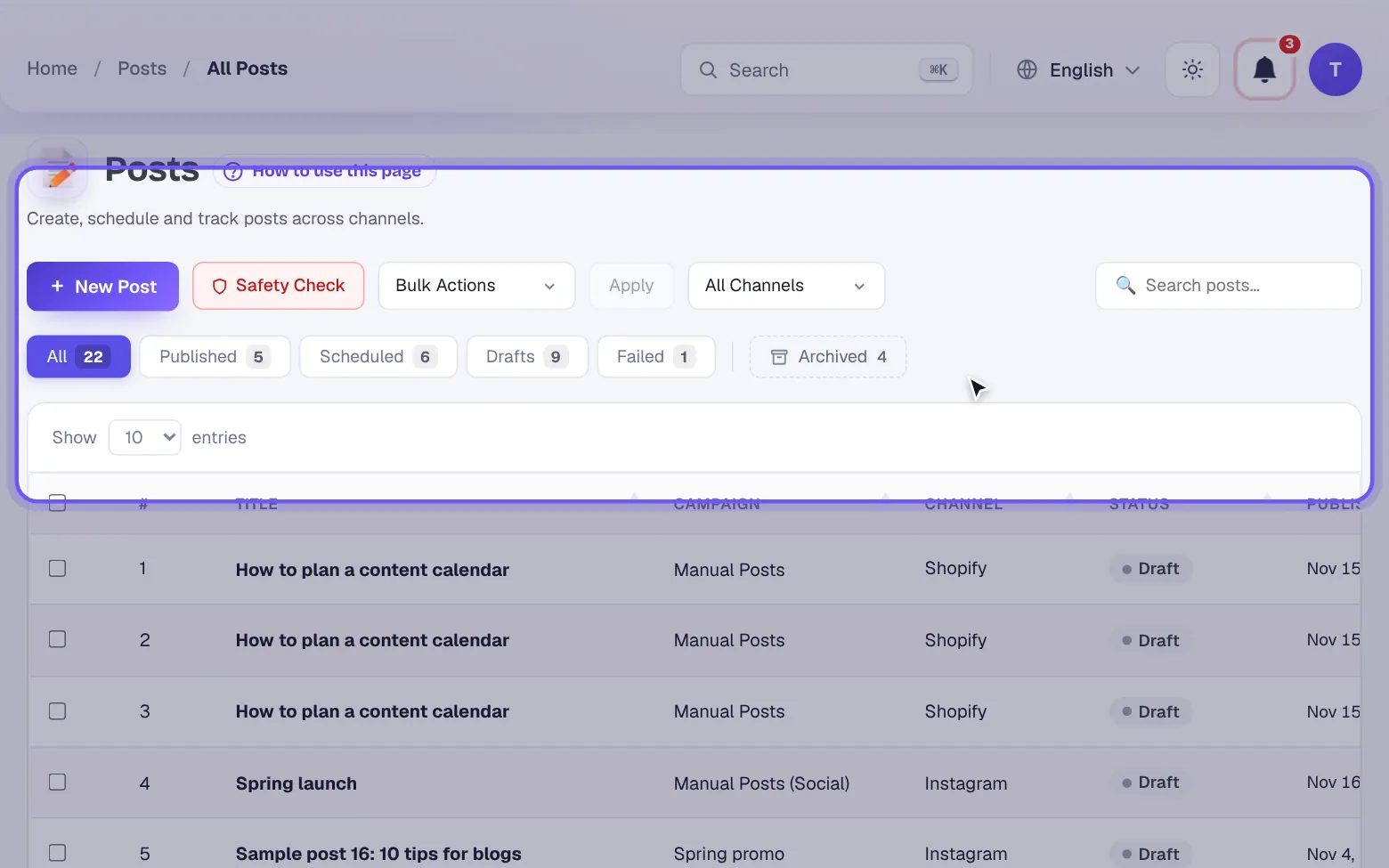
Posts → All Posts lists everything Publisha has written or will publish, from campaigns and single posts, for every channel.
-
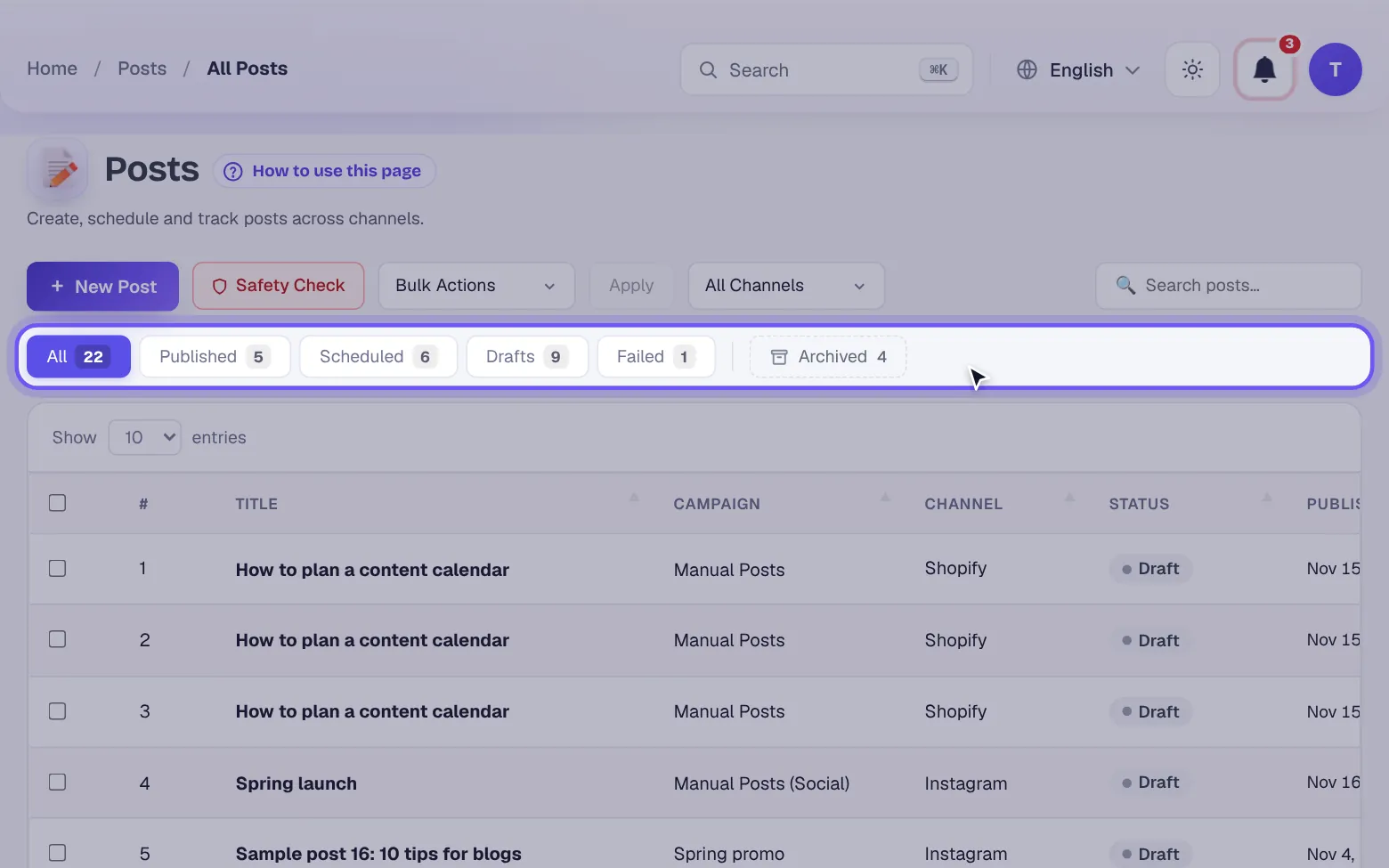
Filter by status and channel
The tabs count Published, Scheduled, Drafts, Failed and Archived posts. Use All Channels to show one network or site.
-
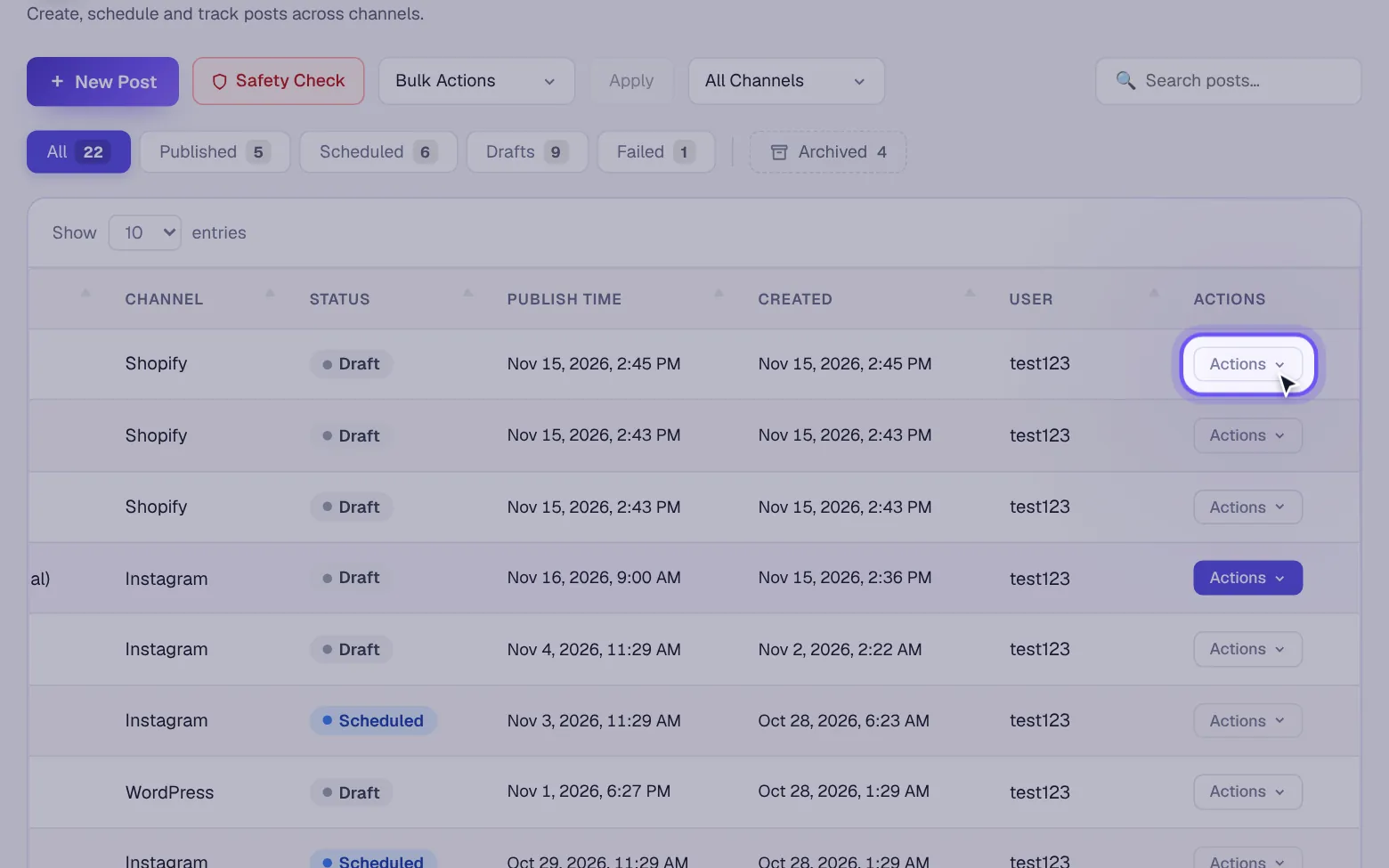
Open a post’s actions
Actions on a row lets you edit the post, publish it now, archive or delete it. Failed posts show why they failed and offer Retry. Bulk Actions does the same for every selected post: publish now, approve, set scheduled or draft, archive, restore or delete.
-
Run the content safety check
Safety Check looks at current events in your target markets. When something sensitive is happening, Publisha can pause promotional posts; you then publish anyway or check again later.
Questions
Why was a post paused?
A content safety alert found a sensitive event in one of your markets. Open the post: Re-check uses the latest events, Publish anyway continues.