

Create once.
Publish everywhere.
Never touch it again.
Publisha turns one idea into a blog post, a caption, a pin, and a reel description — then puts each one on schedule across every platform you run, in your voice, without you opening a single app.
Connects with the tools you already run
Running one channel is fine. Running ten is a full-time job you didn't sign up for.
Every platform wants a different post
A blog needs depth. A pin needs a title built for search. A caption needs a hook. Writing all of it by hand doesn't scale past one person.
Consistency dies first
The week gets busy, one platform goes quiet, then two. Followers stop expecting anything from you, and the algorithm stops showing you to them.
One system, every channel, on time
Publisha writes, matches images, schedules with natural timing, and publishes — to your blog and every connected social account — without a daily to-do list.
Every place your audience already is.
Connect once, and Publisha adapts tone, length, and format automatically for each destination — blog or social.
The algorithm doesn't care who's posting — only whether you keep showing up.
You don't need a content team, or the budget for one, to stay consistent everywhere your audience is. Whether you're growing a personal page, a niche account, or a business you're running solo, Publisha handles the posting schedule you never had time for.
Solo creators
No team, no problem — set your tone once and let it run across every platform you post to.
Small businesses
Grow a personal brand and a business account from the same dashboard, without hiring for it.
Agencies
Spend your team's time on strategy and client calls — not writing captions from scratch, one account at a time.
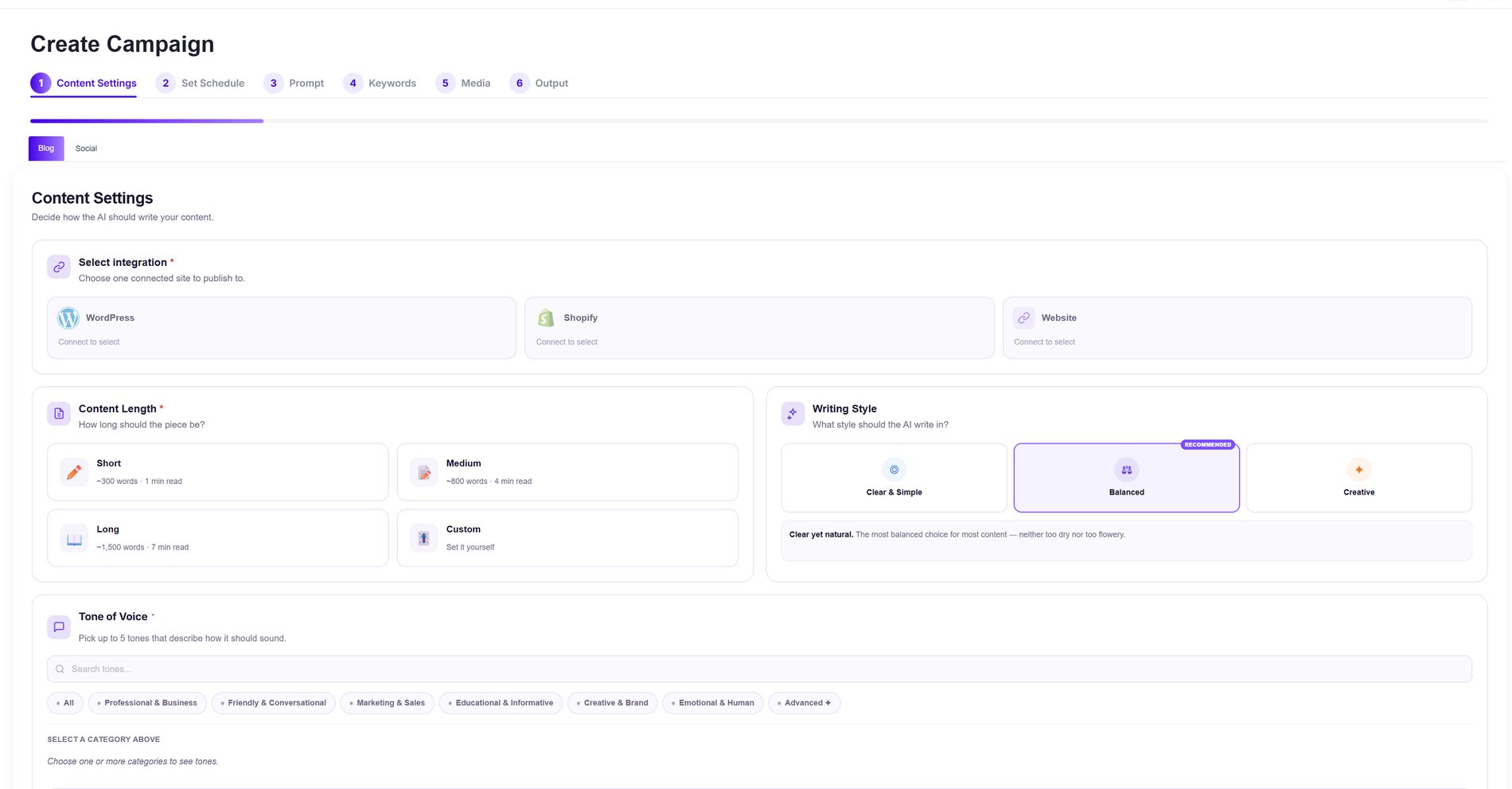
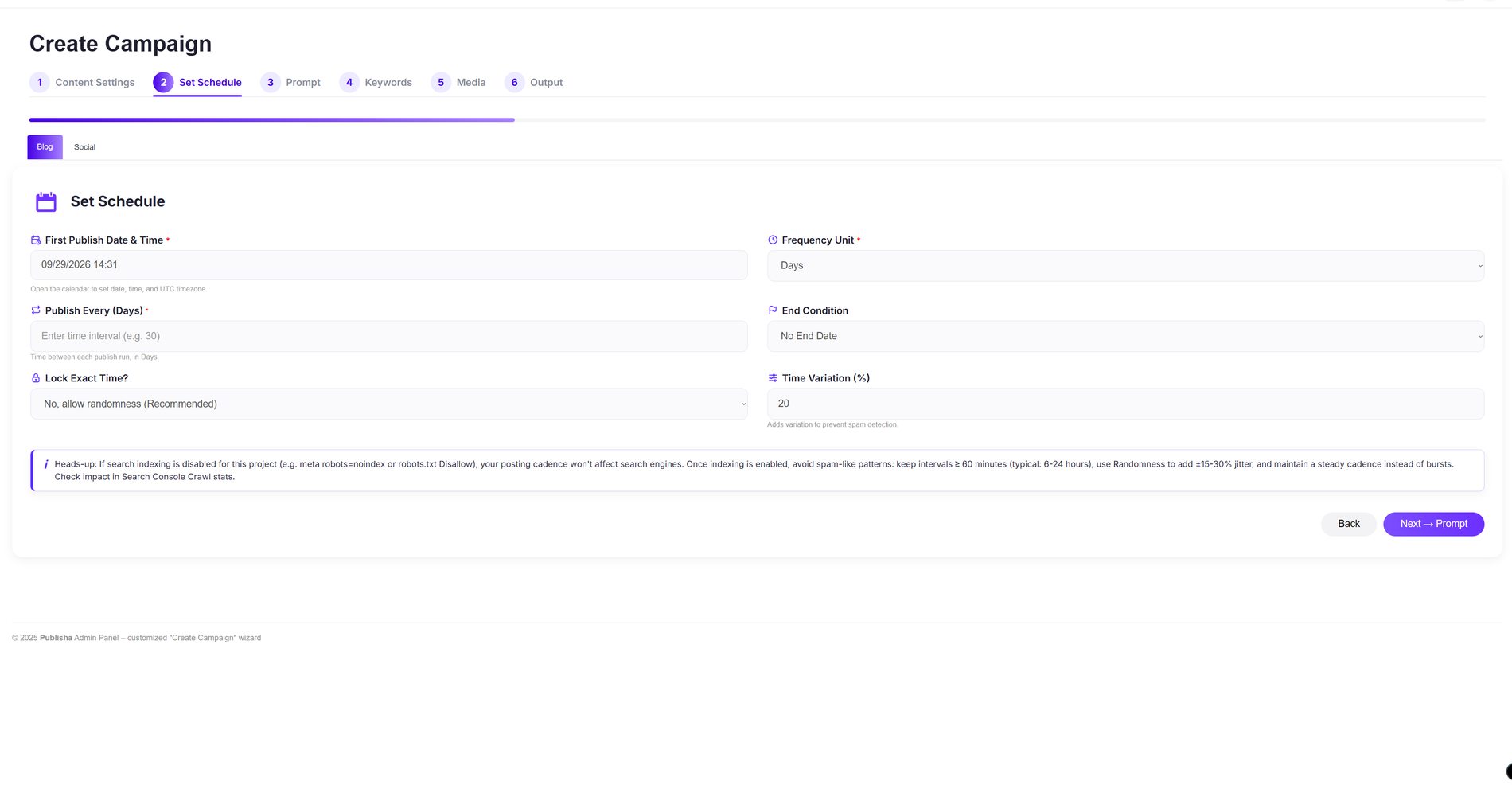
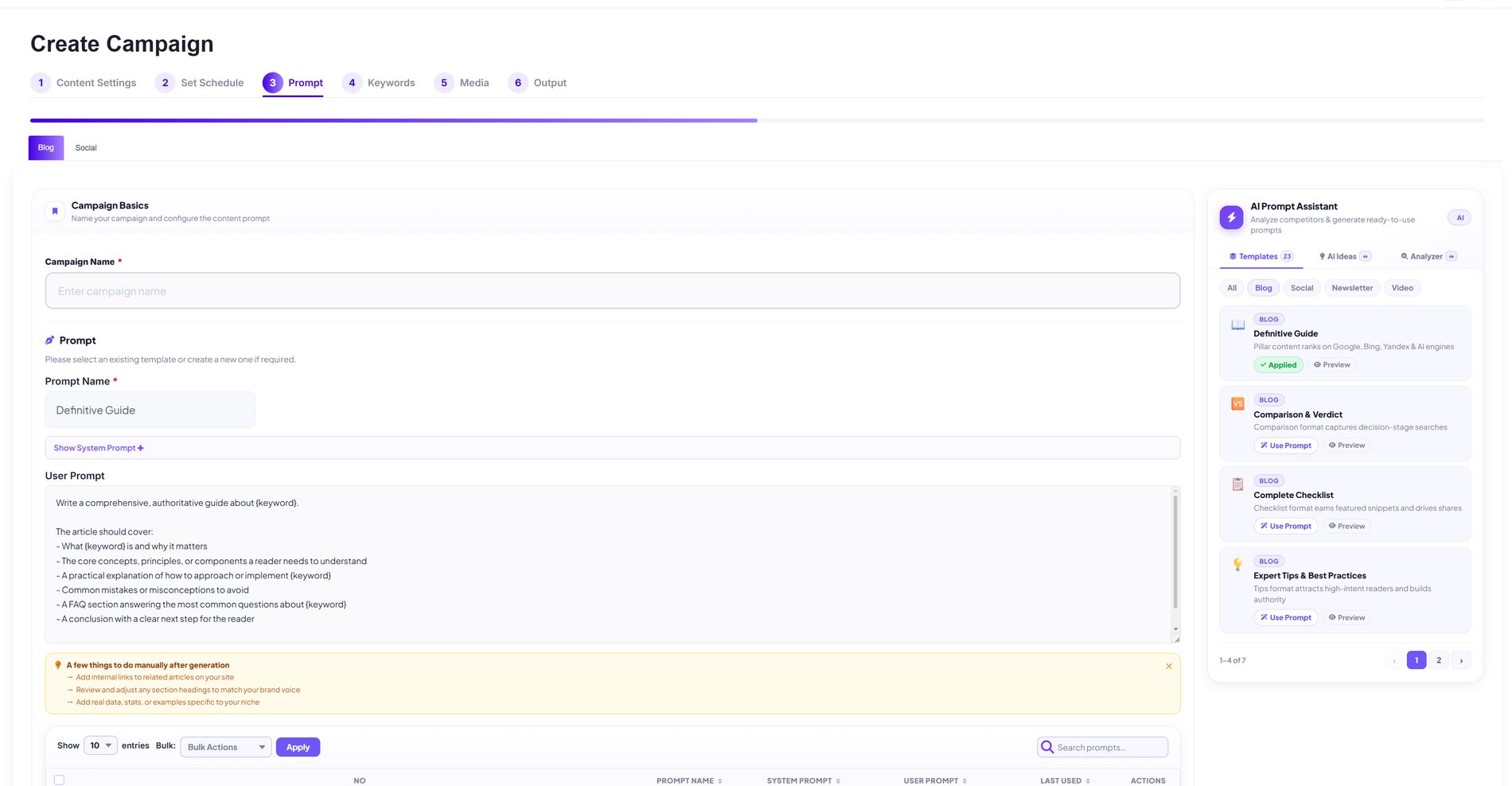
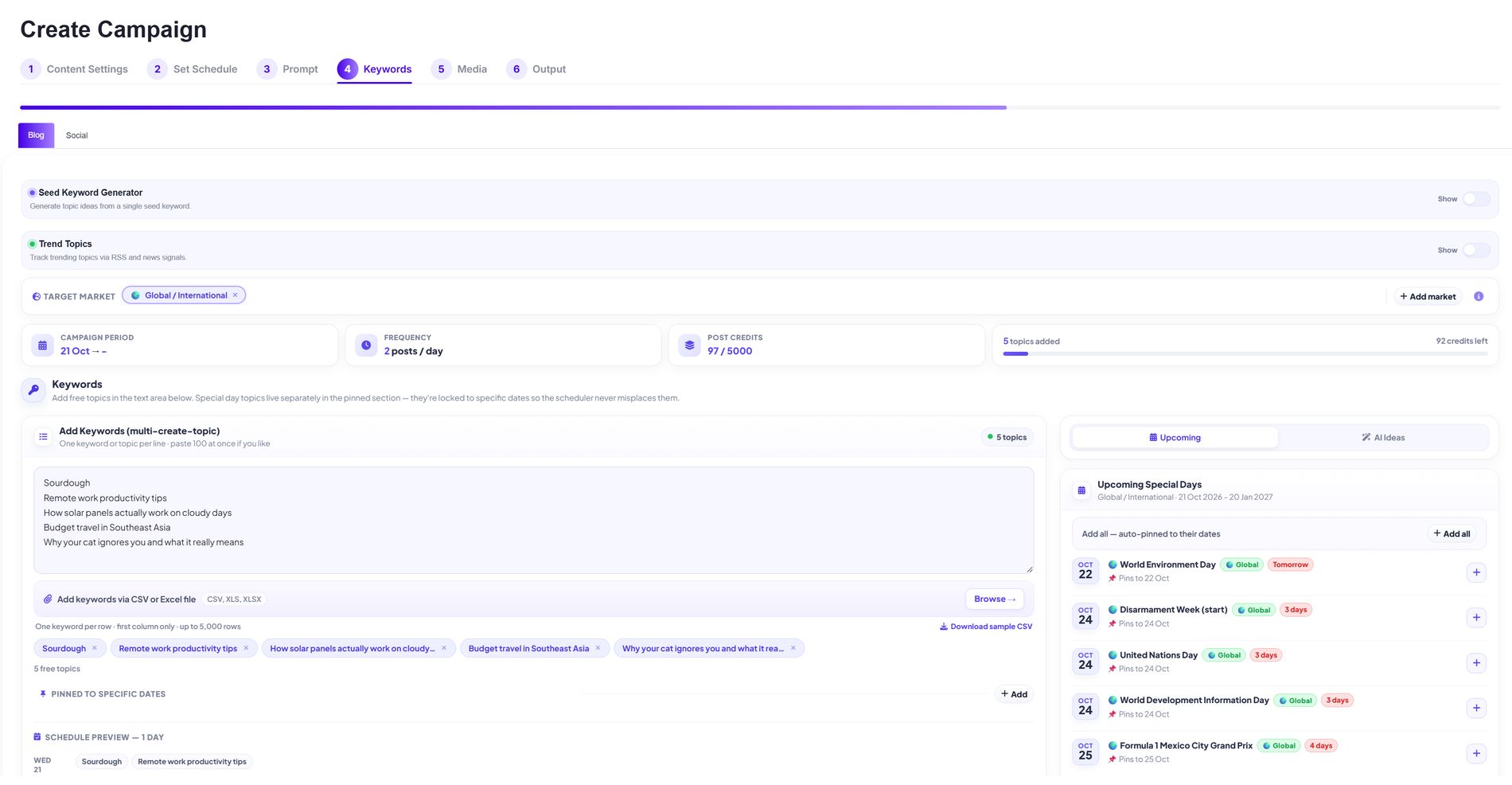
The real six-step setup — not a mockup.
This is the actual Publisha dashboard. Click a step above, or use the dots below the screen, to see exactly what it looks like.
Choose your destination, content length, and writing style for the AI.
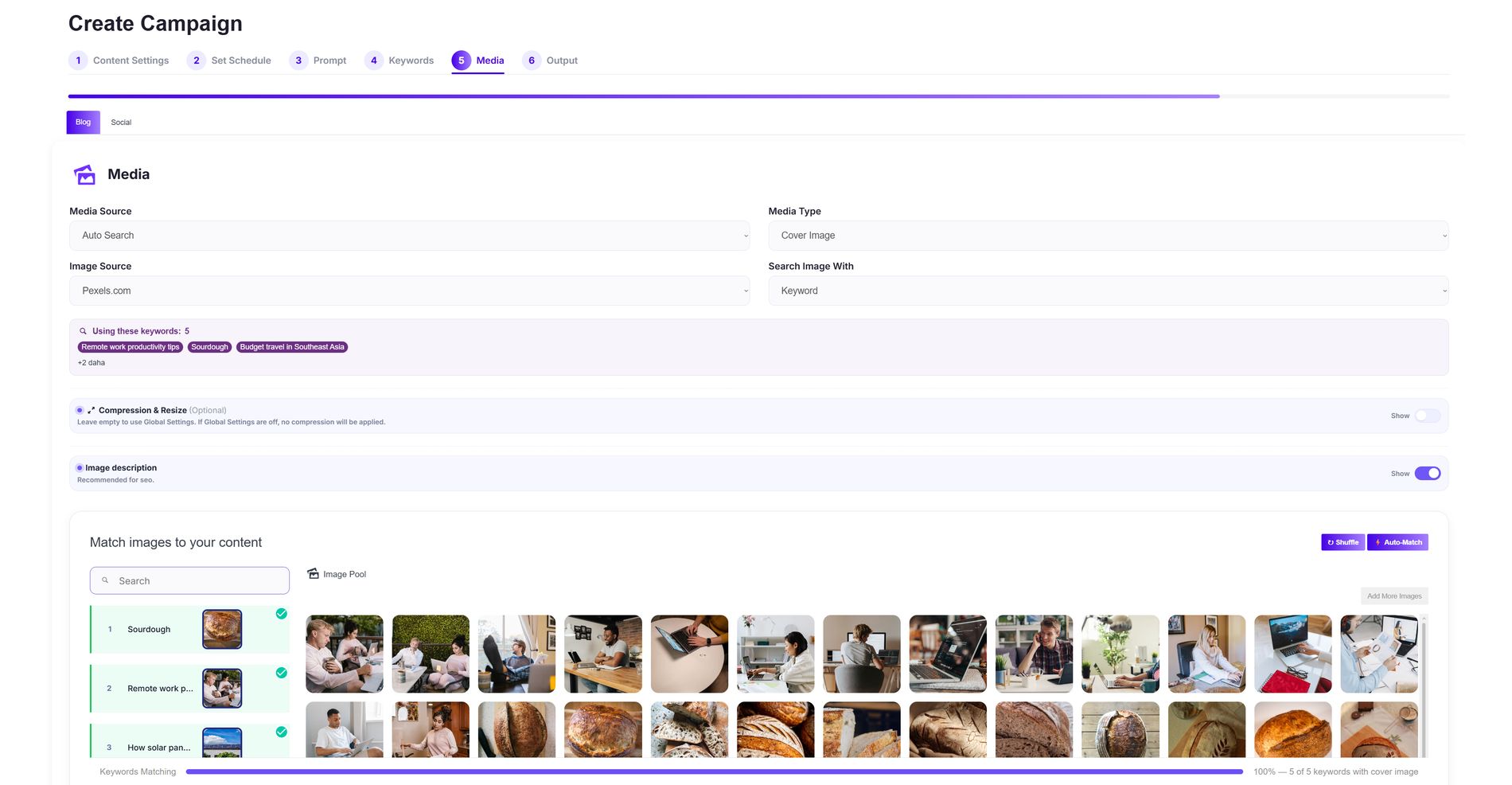
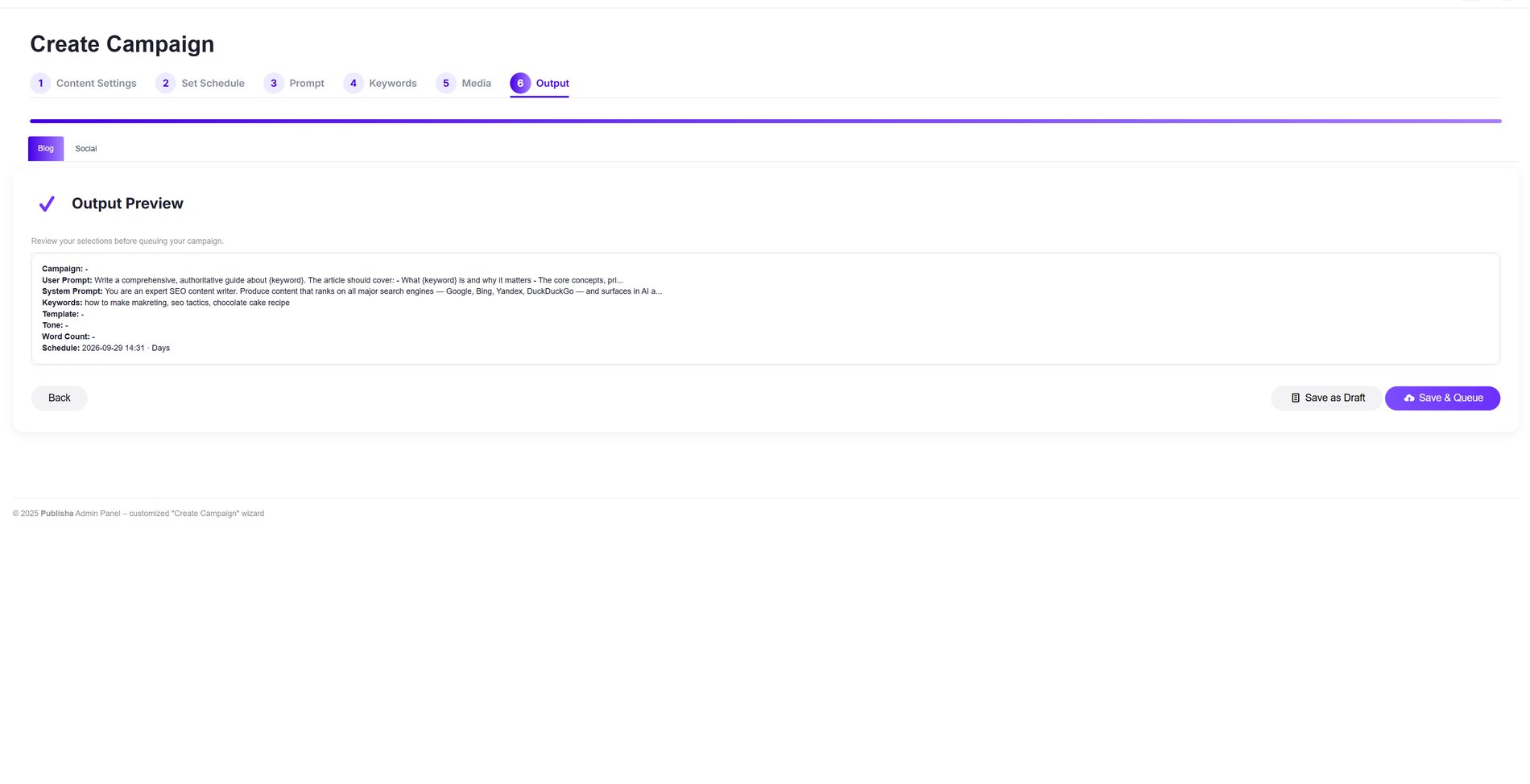
Built for people who'd rather be doing anything else than posting.
Timing that never looks automated
Publisha spaces posts the way a real person would — steady, slightly irregular, tuned to each platform's own rhythm, instead of one rigid interval.
Backlinks that build themselves
Every social post can link back to the blog post it came from — quietly compounding your site's authority with every publish.
A pause button for the real world
If something serious happens globally, Publisha can automatically hold publishing until things settle — you decide if that's on or off.
Matched, not generic
Images are found and matched to each topic automatically, or upload your own and let auto-match pair them by filename.
Draft or fully automatic
Review every piece before it goes live, or trust the system completely and let it queue and publish on its own.
Never miss the moment
Trending topics and key dates are tracked automatically. We won't promise a post goes viral — but we make sure you're never late to the conversation.
One panel, every client
Give each client their own workspace: dedicated platforms, a dedicated team, and independently tracked usage — switch between them in a single click.
Three things most tools get wrong.
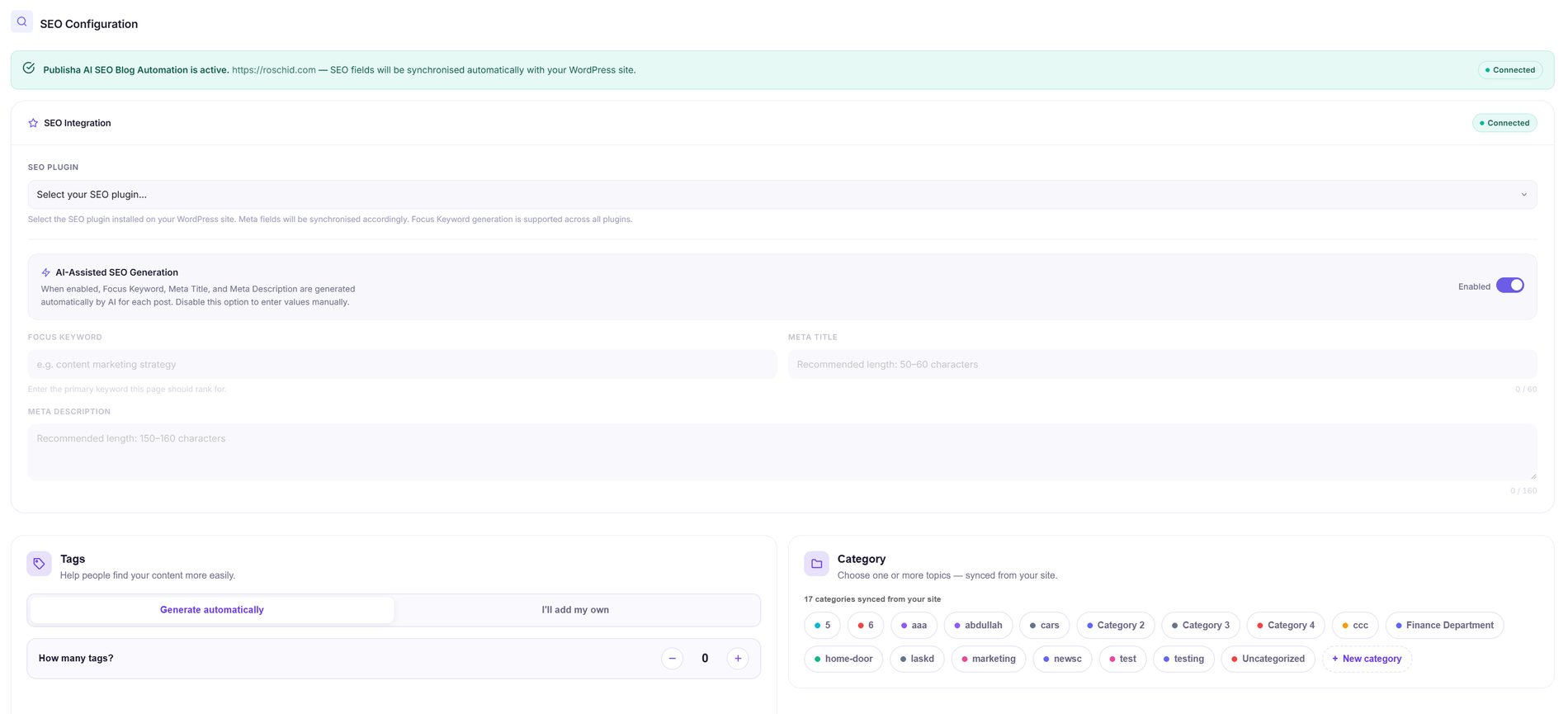
Every post ships with its meta fields already filled in.
Focus keyword, meta title, and meta description are written by AI for every single post — synced straight into RankMath, Yoast, or whatever SEO plugin your site already runs.
- Works with your existing SEO plugin, no extra setup
- Tags and categories synced directly from your site
- Turn off AI generation anytime to fill fields yourself
Scheduling that reads like a person, not a script.
Set a start date and frequency, then let Publisha add natural timing variation — spacing posts out the way a real person would, instead of one suspiciously perfect interval.
- Adjustable randomness to avoid spam-like patterns
- Lock an exact time instead, if you prefer full control
- Auto-pauses publishing during major world events
ChatGPT writes an answer. Publisha writes a page built to rank.
A generic AI chat gives you a wall of text you still have to structure, title, and format yourself. Publisha's prompts are built around proven content formats — a Definitive Guide structured for search engines and AI answer engines alike, a Comparison & Verdict format shaped around how people search before buying — then paired automatically with the SEO fields that make it publishable.
- Every article follows a format chosen for how people actually search — not open-ended free writing
- SEO fields are generated and matched automatically, so nothing goes live half-finished
- Review, edit, or regenerate anything before it publishes — you stay in control
- Writing is tuned for a natural, human tone — not stiff or robotic phrasing.
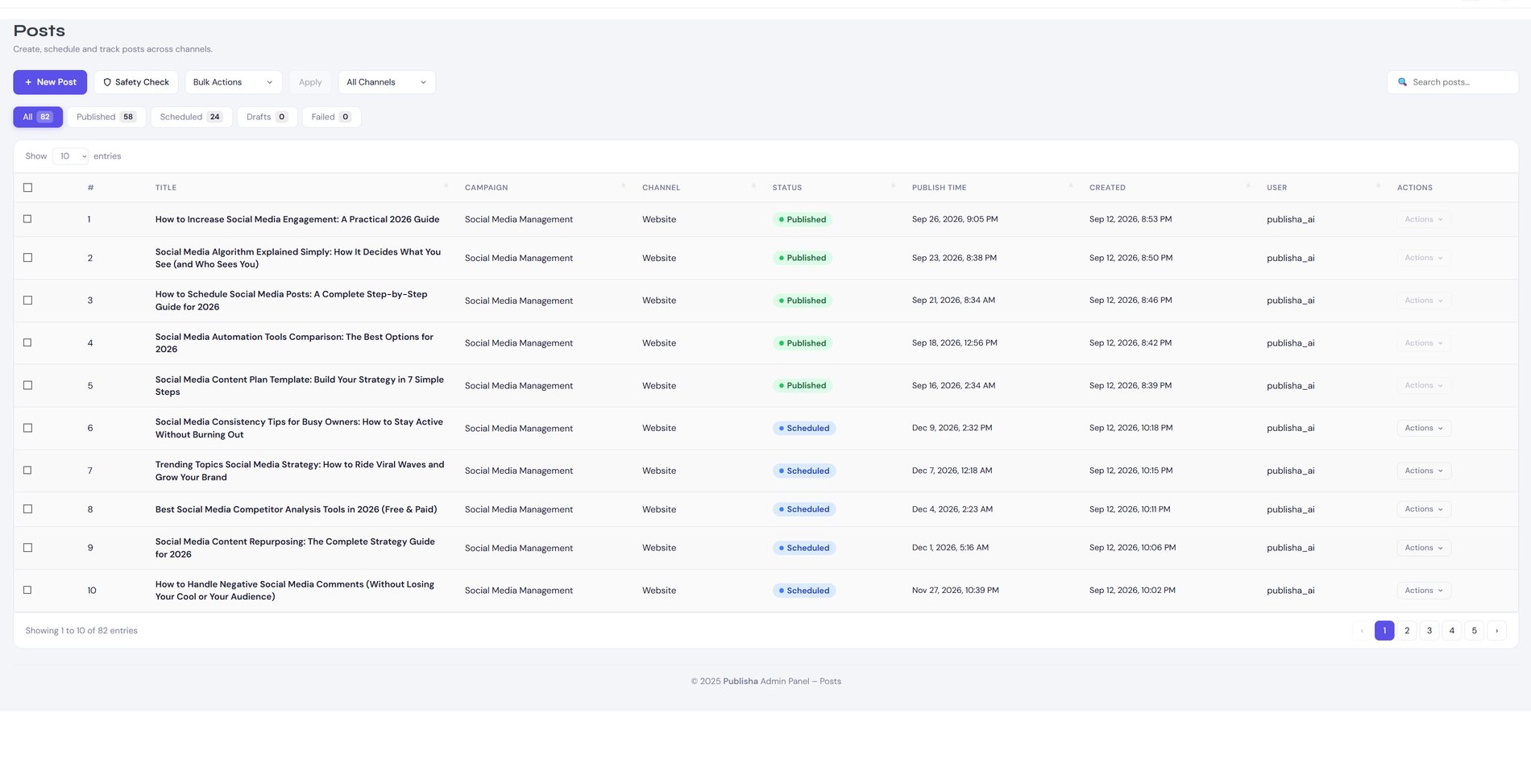
Not a demo. An actual campaign, actually publishing.
This is a live "Posts" screen from a running campaign — not a mockup, not a staged screenshot. Every row was written, scheduled, and published without anyone touching the queue by hand.
What changes when you stop doing this by hand.
"I set up Publisha on a blog almost nobody was reading. Six months later, it publishes three times a week on its own, and the AdSense income finally covers hosting and then some — not life-changing, but it's steady for the first time."
"We needed to actually show up on Instagram and TikTok without hiring someone just for that. Three months in, our follower count is finally moving in the right direction."
"Adding TikTok and Threads on top of what we already had took ten minutes, not a new hire."
Everything above, running on every platform you own.
Then $79/month. No charge until your trial ends.
Claim your free 7 daysNo credit card surprises — cancel before day 7 and pay nothing.
Questions people ask first.
No. Pick a ready-made template, describe what you want in plain language and let AI Ideas build the prompt, or pull one from a post you already admire using the link analyzer.
Yes. Save as Draft holds everything for your approval. Save and Queue publishes automatically once you're confident in the setup — most people switch over after the first week.
Connect only the platforms you want. Each campaign can target one platform or several, with its own tone, schedule, and topics.
No — Publisha adapts length, structure, and tone per platform automatically, so a blog post, a caption, and a pin title never read like copies of each other.
No card required. Try the trial, see it running with your own content, and decide afterward.
Your next ten posts are already created. They just don't exist yet.
Connect a platform, set a tone, and watch the calendar fill itself in.
One platform. Every audience. Zero effort.